







The best Mouseflow alternatives & competitors, compared

Contents
1. PostHog
- Founded: 2020
- Similar to: LogRocket, Smartlook
- Typical users: Engineers and product teams
- Typical customers: Mid-size B2Bs and startups
What is PostHog?
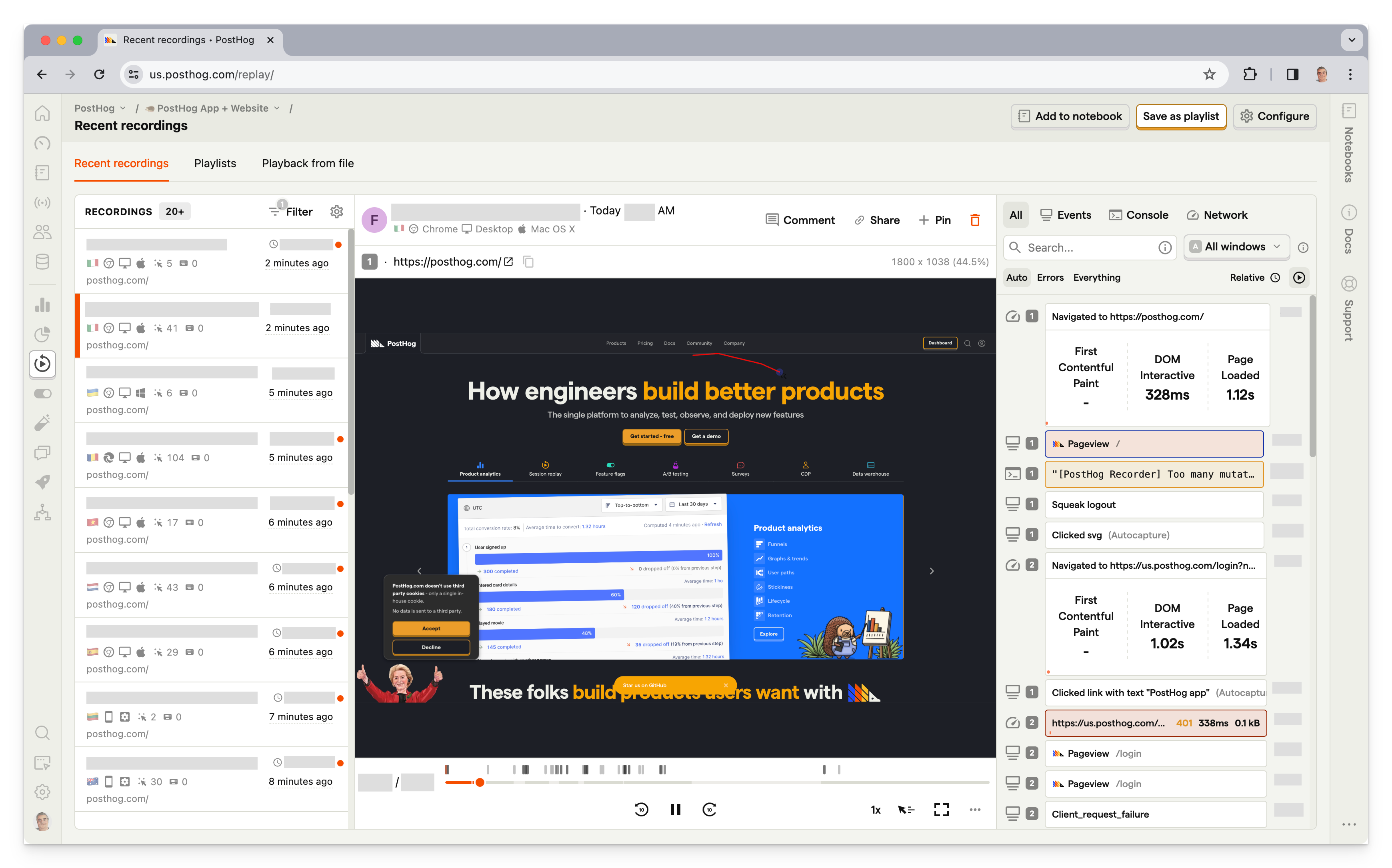
PostHog (that's us 👋) is an open-source platform combining session replay, product analytics, surveys, A/B testing and feature flags. This means it's not only an alternative to Mouseflow but tools like Mixpanel and LaunchDarkly.
According to BuiltWith, as of April 2024, 4,661 of the top million websites use PostHog. This is just under Mouseflow's 5,146.
Key features
📺 Session replays: View exactly how users are using your site. Includes event timelines, console logs, network activity, and 90-day data retention.
📈 Product analytics: Custom trends, funnels, user paths, retention analysis, and segment user cohorts. Also, direct SQL querying for power users.
💬 Surveys: Target surveys by event or person properties. Templates for net promoter score (NPS), product-market fit (PMF) surveys, and more.
🧪 A/B tests: Optimize your app and website with up to nine test variations and track impact on primary and secondary metrics. Automatically calculate test duration, sample size, and statistical significance.
🚩 Feature flags: Rollout features safely with local evaluation (for faster performance), JSON payloads, and instant rollbacks.
How does PostHog compare to Mouseflow?
Why do companies use PostHog?
According to reviews on G2, companies use PostHog because:
It replaces multiple tools: PostHog can replace Hotjar (feedback and surveys), VWO (feature flags and A/B testing), and Amplitude (analytics). This simplifies workflows and ensures a single source for product data.
Pricing is transparent and scalable: Reviewers appreciate how PostHog's pricing scales as they grow. There's a free forever plan with a generous usage allocation.
They need a complete picture of users: PostHog includes every tool necessary to understand users and improve products. This means creating funnels to track conversion, watching replays to see where users get stuck, testing solutions with A/B tests, and gathering feedback with user surveys.
Bottom line
PostHog makes for an excellent alternative to Mouseflow thanks to its matching feature set and generous free tier. This is especially true for product-focused startups and scaleups.
2. LogRocket
- Founded: 2016
- Similar to: PostHog, Smartlook
- Typical users: Product managers, engineers, support teams
- Typical customers: B2B SaaS, B2C retail companies
What is LogRocket?
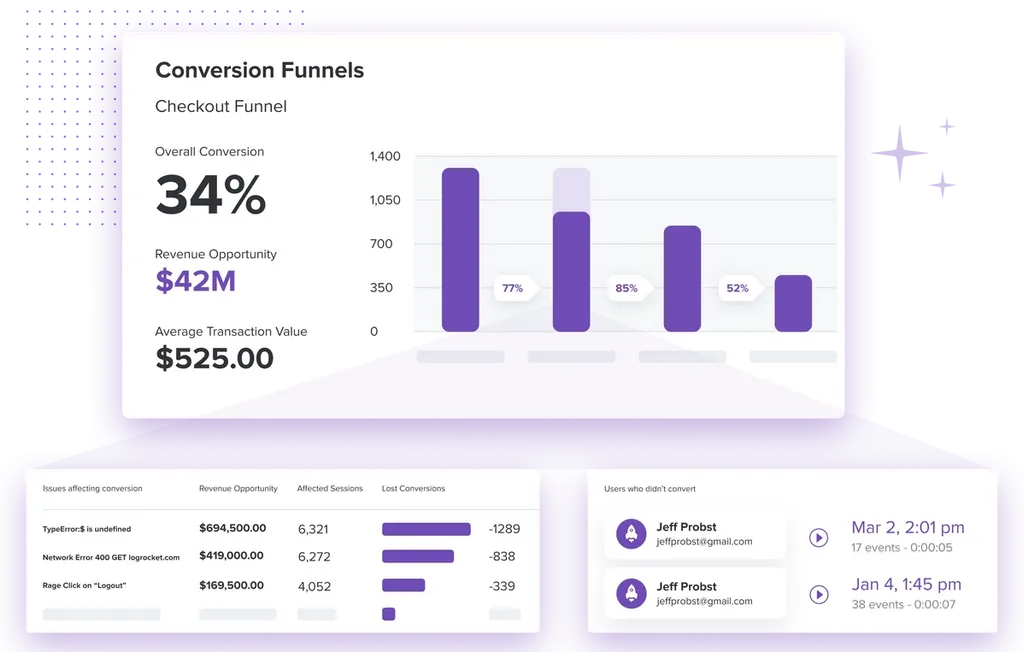
LogRocket is a product experience platform with session replay, product analytics, error tracking, and performance monitoring. It focuses on helping product managers, engineers, and support teams identify and fix issues.
According to BuiltWith, as of April 2024, 1,163 of the top million websites deploy LogRocket. That's nearly five times less than the 5,146 of Mouseflow, but might not account for mobile usage.
Key features
📹 Session replay: Understand exactly what users are doing on your site. See the screens they visit, places they click, as well as console and network logs, errors, and performance data.
🚨 Error tracking: Identify and triage the most impactful issues with JavaScript and network errors as well as stack traces.
📈 Product analytics: Capture usage data and visualize it with conversion funnels, path analysis, and retention charts.
🔥 Heatmaps: See what users are clicking on, where they are spending their time, and how far they scroll.
🏎️ Performance monitoring: Monitor frontend performance such as web vitals, CPU and memory usage, and network speed.
How does LogRocket compare to Mouseflow?
LogRocket and Mouseflow have very similar feature sets, even down to their frustration analysis. LogRocket does expand on this with product and performance analytics, but EU hosting isn't an option.
Why do companies use LogRocket?
According to G2 reviews, customers use LogRocket because:
Identifying problems: LogRocket's combination of error tracking, performance monitoring, and session replay makes it uniquely powerful at finding bugs and issues. Unlike other tools, it uncovers both user and software issues.
Improves user experience: LogRocket seems to succeed at its goal of helping users fix issues. Reviewers find it provides all the tools to improve their user experience such as error and performance tracking.
High usability: LogRocket provides a lot of functionality out of the box. It captures the details users need, provides useful visualizations, and automatically triages some issues.
Bottom line
For companies looking for a suite of tools to help them understand both their application and user behavior, LogRocket makes a good choice. The only downside is its lack of EU hosting, which might limit some companies with regulatory requirements.
3. Smartlook
- Founded: 2016
- Similar to: PostHog, LogRocket
- Typical users: Engineers, business analysts, product managers
- Typical customers: Enterprise retail and ecommerce websites and apps
What is Smartlook?
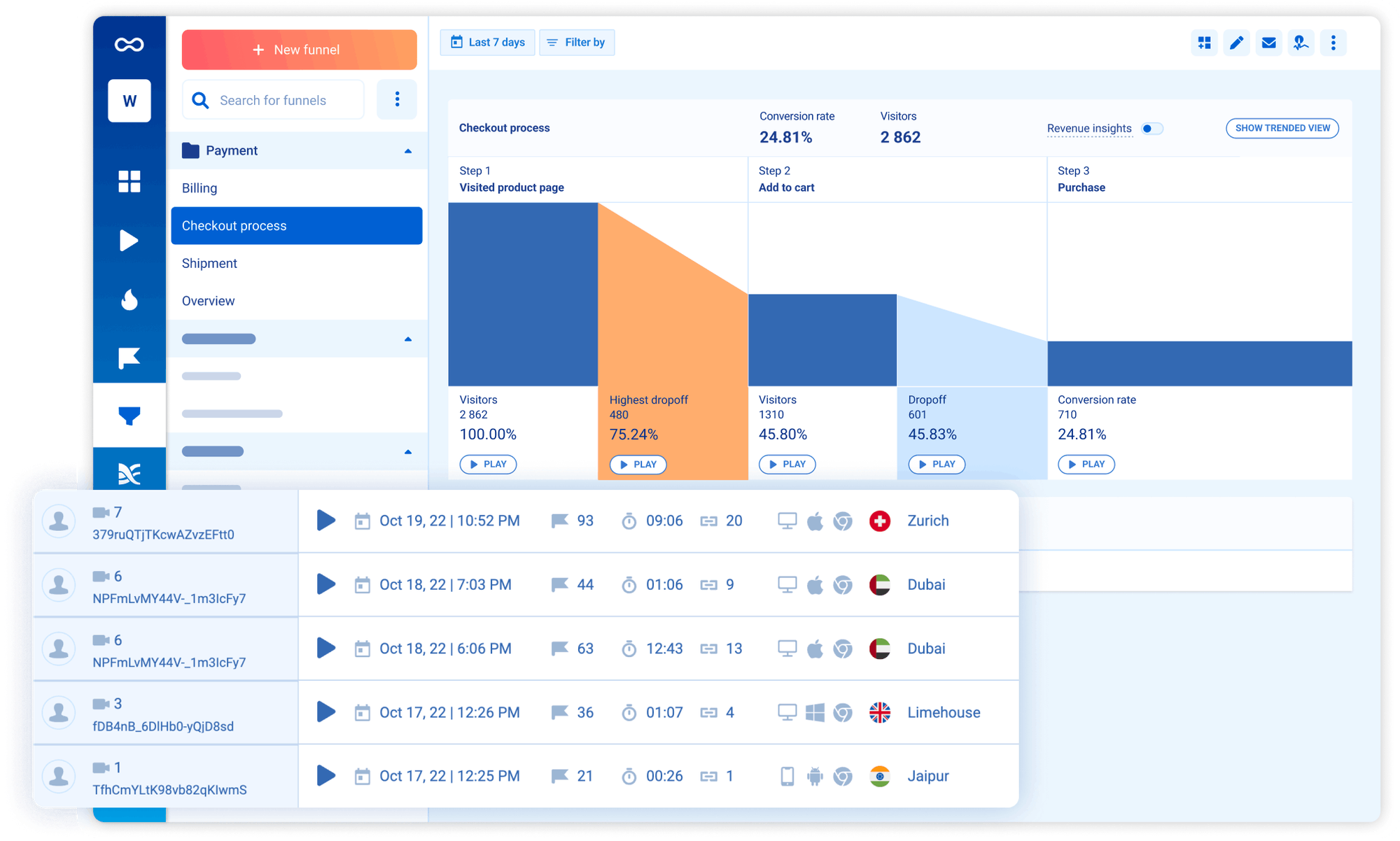
Similar to the first two alternatives, Smartlook is a suite of product tools that helps teams understand usage. It combines session replays, product analytics, visualizations, and crash reports to generate an overall understanding of user experience.
A standout part of Smartlook is its focus on mobile apps with specific tools like mobile heatmaps, native rendering, and wireframe mode.
According to BuiltWith, as of April 2024, 2,785 of the top million websites deploy Smartlook. This is just over half of the 5,146 who use Mouseflow.
Key features
📹 Session recordings: Understand how users are actually using your app and where issues occur.
🔥 Heatmaps: Figure out what parts of the page users click on, move their mouse over, and scroll to. Overlay all this on your actual site.
📊 Event-based analytics: See how often users behave in ways important to you such as URL visits, form submits, and clicks.
🛣️ Funnels and paths: See how users move through your app with custom visuals for key flows.
📉 Crash reports: Learn what happens before a crash without reproduction. Watch related session replay and manage crash triaging in Smartlook.
How does Smartlook compare to Mouseflow?
There are two big differences between Smartlook and Mouseflow. Smartlook includes product analytics, but doesn't have surveys. Mouseflow is the opposite. Beyond that their feature sets are very similar, with Smartlook focusing more on tools for mobile apps.
Why do companies use Smartlook?
According to G2 reviewers, Smartlook users benefit from:
Integrating replays and events: Smartlook connects event-based analytics and real user sessions. This enables users to dive deeper into user behavior than with a single tool.
Understanding visitor pain points: Analytics and visualizations make it easy to understand where users are running into trouble or where crashes happen. Fixing these areas improves user experience and conversion.
Real user monitoring: See how real users are using your app and monitor the quality of their experiences. Figure out what areas are confusing or not used properly.
Bottom line
If you don't need surveys, Smartlook makes for a great alternative to Mouseflow. This is thanks to its similar but expanded feature set and its focus on mobile.
4. Lucky Orange
- Founded: 2010
- Similar to: Crazy Egg, Hotjar
- Typical users: Marketers and consultants
- Typical customers: Small e-commerce businesses and agencies
What is Lucky Orange?
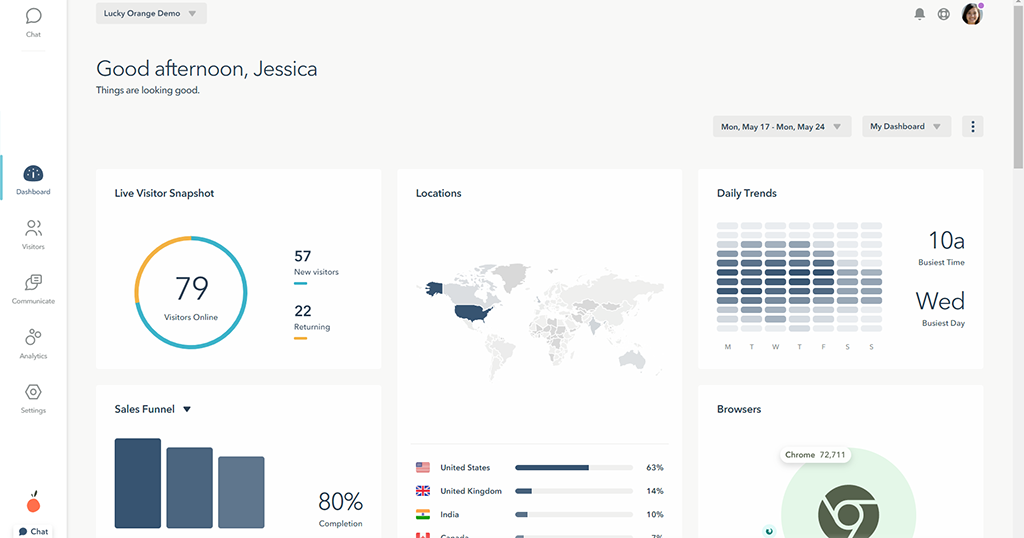
Lucky Orange is a simple website analyisis tool. It is designed for e-commerce websites and includes session replays, heatmaps, and surveys. It also offers built-in form analytics, live chat, and announcements widgets that help store owners improve their conversion.
According to BuiltWith, as of April 2024, 3,817 of the top million websites use Lucky Orange. A bit under the 5,146 of Mouseflow.
Key features
📺 Session replay: Watch how real users navigate your website and figure out what is stopping them from converting.
🔥 Heatmaps: See where users click, move, and scroll to find out what areas drive conversion.
📋 Surveys: Get real feedback from your customers about your website, product, and ideas.
📊 Conversion funnels: Figure out where you are losing customers in your funnels.
👤 Visitor profiles: See all of the data you have about a specific user and group users into segments.
How does Lucky Orange compare to Mouseflow?
Lucky Orange and Mouseflow have nearly identical functionality. Unlike other options on this list, Lucky Orange doesn't have more features that sets it apart from Mouseflow. One difference is Lucky Orange's lack of EU hosting.
Why do companies use Lucky Orange?
According to G2 reviews, customers use Lucky Orange because:
It's easy to use: Lucky Orange has a simple UI compared to popular analytics tools, which makes it easy to analyze user behavior and identify issues with websites.
It helps them improve conversion: Customers are mostly using Lucky Orange to optimize landing pages and e-commerce checkout flows.
It doesn't impact page speed: Users report Lucky Orange has negligible impact on website performance, which they value highly.
Bottom line
If you're looking for an option that is exactly alike to Mouseflow, Lucky Orange is a solid choice. If you're looking for product analytics, A/B testing, or more advanced features, it is best to look elsewhere.
5. Crazy Egg
- Founded: 2006
- Similar to: Lucky Orange, Hotjar
- Typical users: Marketers and UX designers
- Typical customers: Small and medium size businesses and agencies
What is Crazy Egg?
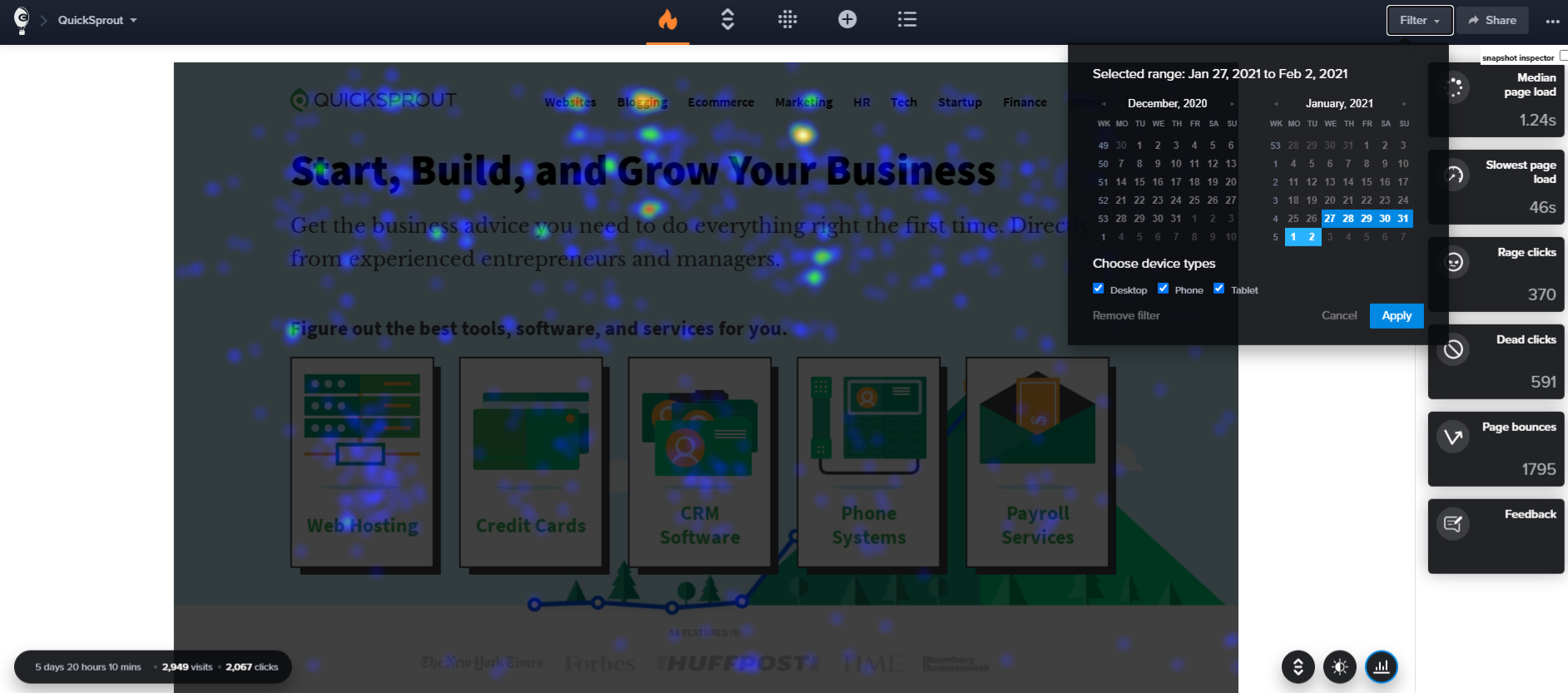
Crazy Egg is a heatmap and optimization platform tool for small business owners and marketers. A big user group is e-commerce businesses who run Shopify stores.
It's best used for heatmaps, but also includes basic replay, A/B testing, and website analytics tools. It's ideal for non-technical users who want to optimize their websites and drive conversions.
According to BuiltWith, as of April 2024, 10,861 of the top million websites use Crazy Egg. This is slightly over double Mouseflow's 5,146.
Key features
🔥 Heatmaps: See where users move, click, and scroll. Get reports on their interactions with your website.
📺 Session replay: Watch recordings of actual visitors using your website. Figure out where they get stuck or where they avoid.
🧪 A/B testing: Use the visual page editor or URL selector to run A/B tests.
💬 Surveys: Fully customizable surveys help you get qualitative feedback at all stages of the customer journey.
🐞 Errors tracking: Find out if errors are preventing your visitors from converting.
How does Crazy Egg compare to Mouseflow?
Crazy Egg has a few features Mouseflow doesn't, including basic analytics and A/B tests. Other than that, they are very similar.
Why do companies use Crazy Egg?
According to G2 reviews, people use Crazy Egg because:
It's easy to setup: Crazy Egg makes it easy integrate with numerous services and content management systems, like Shopify, Wix, and Wordpress. This is especially useful for website owners and agencies who run multiple websites.
They want to improve content and conversions: Crazy Egg's heatmaps and session replay features enable people to gather valuable insights for optimizing their content, increasing conversions, and understanding how users navigate their websites.
Gathering feedback Users like that they can combine data with the qualitative feedback from users and customer CTAs.
Bottom line
Although Crazy Egg has some features Mouseflow doesn't, it isn't dramatically different. The lack of free tier and EU hosting puts it below other options as a potential alternative.
6. Pendo
- Founded: 2013
- Similar to: PostHog, LogRocket
- Typical users: Product managers and customer success teams
- Typical customers: Small and mid-market B2C apps

What is Pendo?
Pendo is a product experience platform that offers session replay, user feedback, product analytics, in-app guides, and product validation tools. It's primarily used by product managers and customer success teams to help users get the most out of a product.
According to BuiltWith, as of April 2024, 3,166 of the top one million websites deploy Pendo, a bit under the 5,146 of Mouseflow.
Key features
📹 Session replay: Visualize the real behavior behind your product data.
📘 In-app guides: Deliver personalized guidance to customers inside your app, without changing the code.
📣 User feedback: A centralized location to capture product feedback. Capture manually or with in-app prompts.
📊 Product analytics: Learn how users are using your app with event autocapture. Analyze with funnels, trends, and retention analysis.
🛣️ Product validation and roadmaps: Manage your backlog and plan your roadmap to create alignment.
How does Pendo compare to Mouseflow?
Pendo has a different focus than Mouseflow. It's more of a tool for SaaS products, rather than websites. This means it has stronger product analytics capabilities, but misses out on features like heatmaps.
Why do companies use Pendo?
According to G2 reviews, customers use Pendo for:
Customer support and feedback: Pendo is valued for its customer support and feedback collection capabilities.
Improving onboarding: Pendo's in-app guides combined with analytics features help people experiment with new onboarding flows and improving user adoption.
Product planning: Pendo's data tools, product validation, and roadmap features help align internal teams and stakeholders on product development.
Bottom line
For large, product-focused enterprises, Pendo can be a good alternative. It's lack of free tier makes it hard to recommend to smaller teams though.
7. Hotjar
- Founded: 2014
- Similar to: Crazy Egg, Lucky Orange
- Typical users: Product designers, researchers, and marketers
- Typical customers: E-commerce and content-driven sites
What is Hotjar?
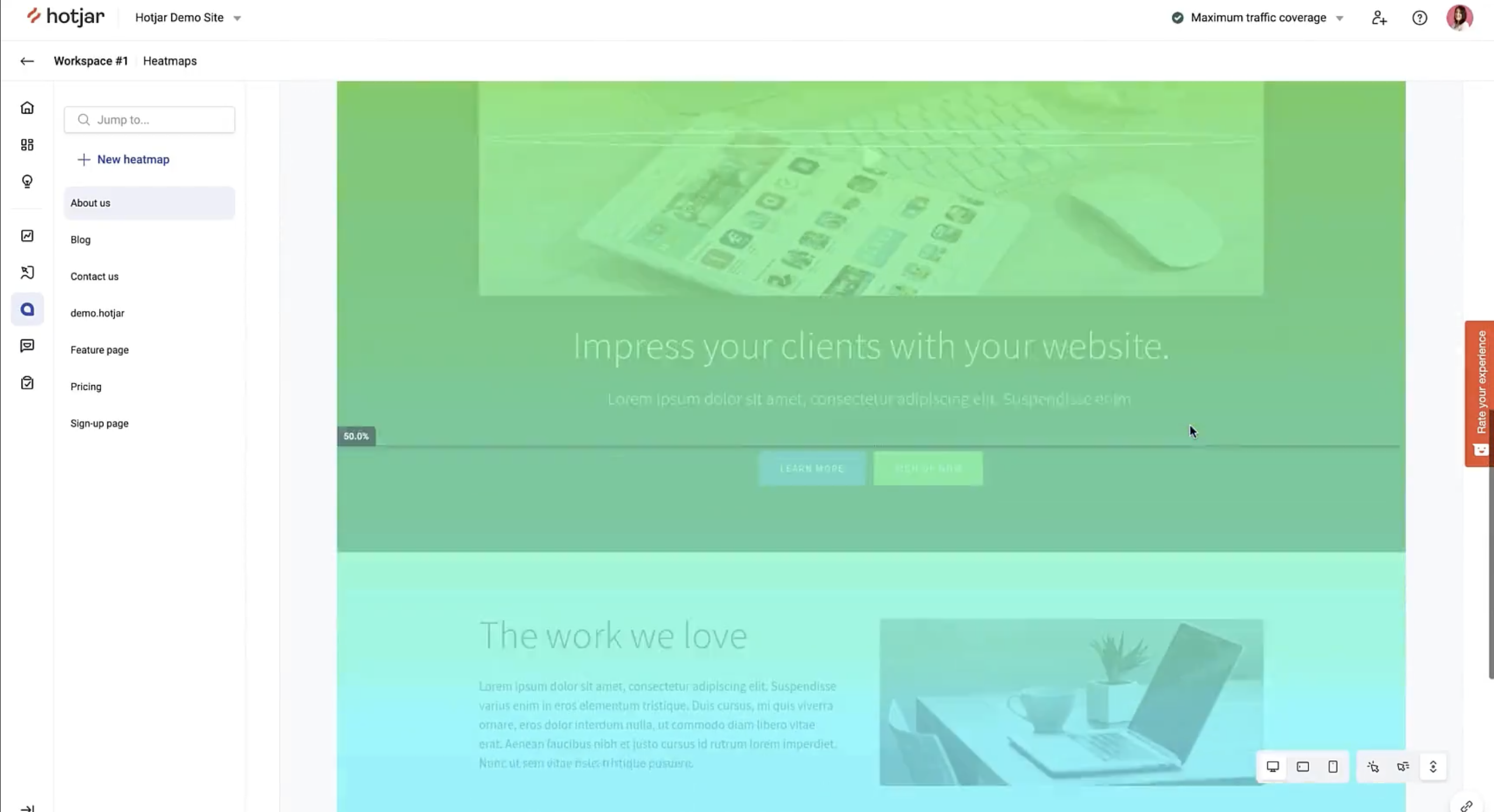
Hotjar focuses on user behavior rather than analytics. This means using heatmaps, replays, feedback, and interviews to understand the qualitative aspects of your site and app. It's popular among product designers and marketers, but not so useful for software engineers.
According to BuiltWith, Hotjar is by far the most popular option on this list as of April 2024. 67,108 of the top million sites us it, compared to the 5,146 of Mouseflow
Key features
🔥 Heatmaps: Visualize the clicks and movements of users on your site and see how far they scroll.
📺 Recordings: Replay real user sessions and see what they see including navigation, mouse movement, and rageclicks.
💬 Feedback: Learn what your users are thinking. Find out their likes, dislikes, and opinions.
📋 Surveys: Send targeted surveys to gather info on new products or features.
🗣️ Interviews: Automate the user interview process to share ideas, test designs, and get live feedback.
How does Hotjar compare to Mouseflow?
Hotjar has a similar focus to Mouseflow. Neither is a product analytics tool and both are popular with marketers. Hotjar has more tools for user interviews, but beyond that, they are nearly identical.
Why do companies use Hotjar?
According to G2 reviews, users are fans of Hotjar because:
Insights on user behavior: Shows what they are doing, where their attention is going, and how they are spending their time. Users love the realizations they get with Hotjar's tools.
Simple for non-technical users: Hotjar is easy to set up and use for non-technical roles like designers, marketers, and product managers. The visuals are easy to use and make data clear.
Heatmaps and scrollmaps: Seeing clicks and how far users scroll down a page works well and creates actionable insights. Helps improve UX and page designs.
Bottom line
Hotjar is the largest and most popular Mouseflow competitor. Chances are, if you're looking at alternatives to Mouseflow, you've come across Hotjar. It's very similar and makes for a good alternative.
Is PostHog right for you?
Here's the (short) sales pitch.
We're biased, obviously, but we think PostHog is the perfect Mouseflow replacement if:
- You value transparency. We're open source and open core.
- You want more a session replay and heatmap tools. We offer everything in one.
- You want to try before you buy. We're self-serve with a generous free tier.
Check out our product pages and read our docs to learn more.
PostHog is the leading platform for building self-driving products. With a full suite of developer tools – AI observability, product analytics, session replay, feature flags, experiments, error tracking, logs, and more – PostHog captures all the context agents need to diagnose problems, uncover opportunities, and ship fixes. A data warehouse and CDP tie it all together, unifying that context into one source agents can read across. You can steer it all from Slack, the web app, the desktop (PostHog Desktop), or your own editor via the MCP.